
Zoom Marketplace App Setup
Create one Zoom Meeting SDK app, save its Client ID and Client Secret in MeetStream, and every Zoom bot you create runs as that app.
Zoom only lets Meeting SDK apps join meetings through an app you register in the Zoom App Marketplace. MeetStream uses your app’s Client ID and Client Secret to authorize each bot’s Meeting SDK session. You do this once per MeetStream account, not once per bot.
What you configure where
MeetStream does not run a Zoom OAuth flow for you and does not store your users’ Zoom refresh tokens. Do not point your app’s OAuth redirect URL at a MeetStream address.
1. Create a General app with Meeting SDK
These steps follow Zoom’s current build flow (Zoom: Quick start guide, Zoom: Get Meeting SDK credentials). Zoom sometimes renames Marketplace menus; if a label differs, the Zoom pages linked here have the latest wording.
Start a new General app
Sign in to the Zoom App Marketplace. Click Develop > Build App (in the newer layout, open Developer in the lower-left navigation, then Develop > Build an app). Select General app and click Create.
Name the app and choose how it is managed
On the Basic Information page, rename the app with the edit icon. Under Select how the app is managed, choose:
- User-managed if each of your users will authorize their own Zoom account (the usual choice for per-user ZAK or OBF joins).
- Admin-managed if a Zoom account admin will install the app for their whole account.
If you only plan guest joins, either option works.
Copy the App Credentials
The build flow generates App Credentials: a Client ID and a Client Secret. Zoom gives you a development pair for building and testing and a production pair for the published app (Zoom: App credentials). Start with the development pair.
Set the OAuth redirect URL and allow list (ZAK or OBF only)
Zoom asks for an OAuth redirect URL and OAuth allow lists. If you will use signed-in or on-behalf-of joins, enter your own server’s HTTPS callback, for example https://api.example.com/zoom/oauth/callback, in both fields, and use exactly the same redirect URI when you authorize users and exchange codes. For guest-only use, enter a URL on your own domain.
Turn on Meeting SDK
Open Features, select the Embed tab, and toggle Meeting SDK on. Without it, the bot cannot authorize its Meeting SDK session and typically ends with Error: Zoom authentication failed with result: <n>.
2. Choose scopes for your join mode
Scopes control what your app can do with a user’s OAuth token. MeetStream’s bot itself only needs the Client ID and Client Secret; scopes matter for the tokens your server mints.
Sources: Zoom: Get Meeting SDK credentials, Zoom: OBF FAQ, Zoom: Transitioning to OBF tokens.
Scopes for an account-connected setup (arranged with MeetStream support)
Some accounts connect their Zoom app to MeetStream with OAuth for the Zoom account that hosts the meetings, so bots can ask Zoom for a join token for local recording (fewer waiting room and recording prompts). This is not self-serve today; contact support first. It needs these granular scopes (use the :admin variants for admin-managed apps), as listed in Zoom: Granular scopes:
Behavior details are in Zoom Meeting Bots: account-connected Zoom apps.
3. Save the credentials in MeetStream
Open the Zoom integration
In the MeetStream dashboard, click Integrations in the sidebar and select the Zoom tab. With no credentials saved, the page shows No Zoom credentials configured yet.
Paste the Client ID and Client Secret
Click Configure credentials (or Update credentials if a pair is already saved). In the Configure Zoom Credentials dialog, paste the Client ID and Client Secret from your app’s App Credentials, then click Configure (or Update).
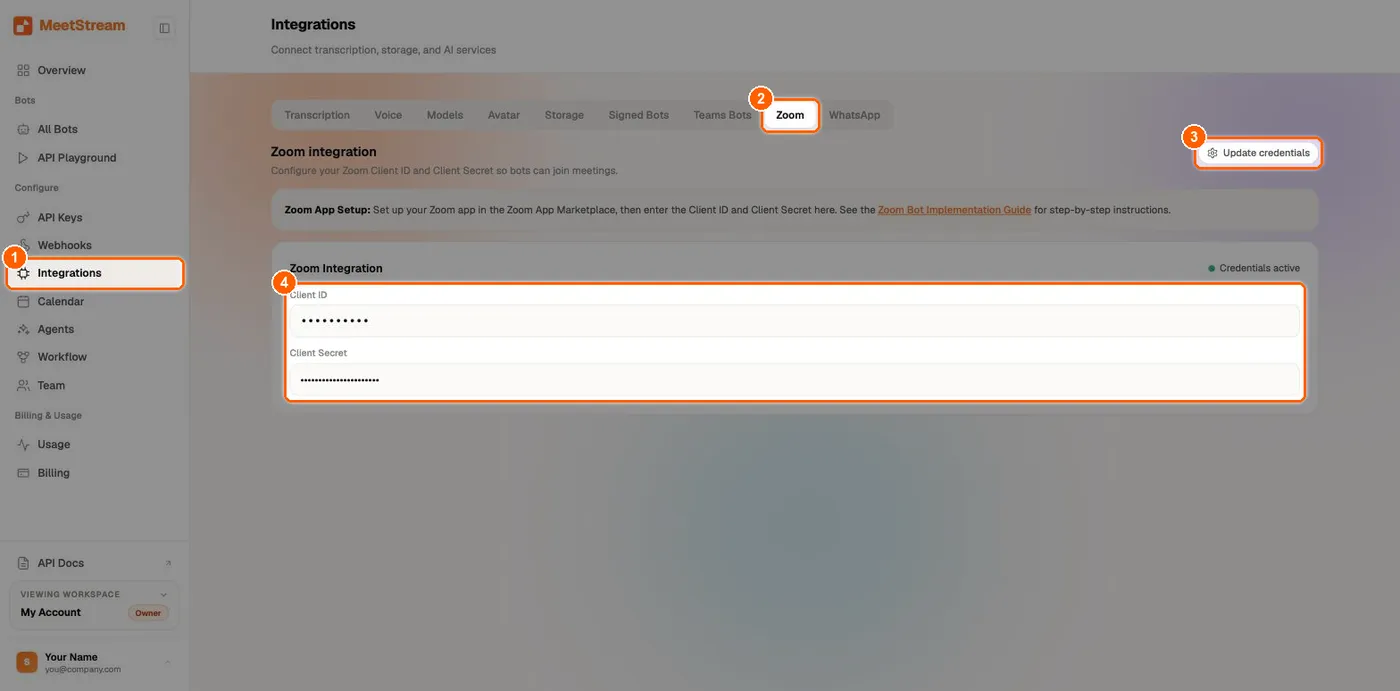
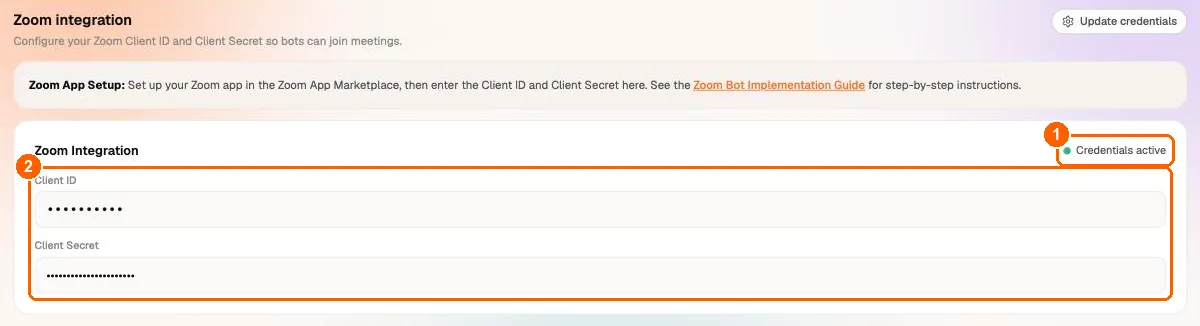
The dashboard keeps one Client ID and Client Secret pair. Update credentials replaces it, which is how you switch from development to production credentials. There is no delete button for Zoom credentials in the dashboard.
4. Test a bot
-
Start a Zoom meeting hosted by the same Zoom account that owns your Marketplace app. With development credentials, that is the only kind of meeting your bot can join.
-
Create a bot with the meeting’s
/j/invite link, including?pwd=if the meeting has a passcode: -
Admit the bot if your meeting has a waiting room, then allow recording when Zoom asks. You should receive
bot.in_waiting_room,bot.inmeeting,bot.recording_permission_allowed(when Zoom asked the host) andbot.recording.
To join meetings hosted by other Zoom accounts, Zoom requires your app to pass its review and the bot to join with a ZAK or OBF token (Zoom: Meeting SDK authorization). Continue with Zoom App Production Submission and Zoom Authenticated Bots.
Troubleshooting
Every Zoom status and message is listed in Zoom Meeting Bots and in Bot status and error codes.