
API Playground
Build and launch a real bot from the dashboard, no code required
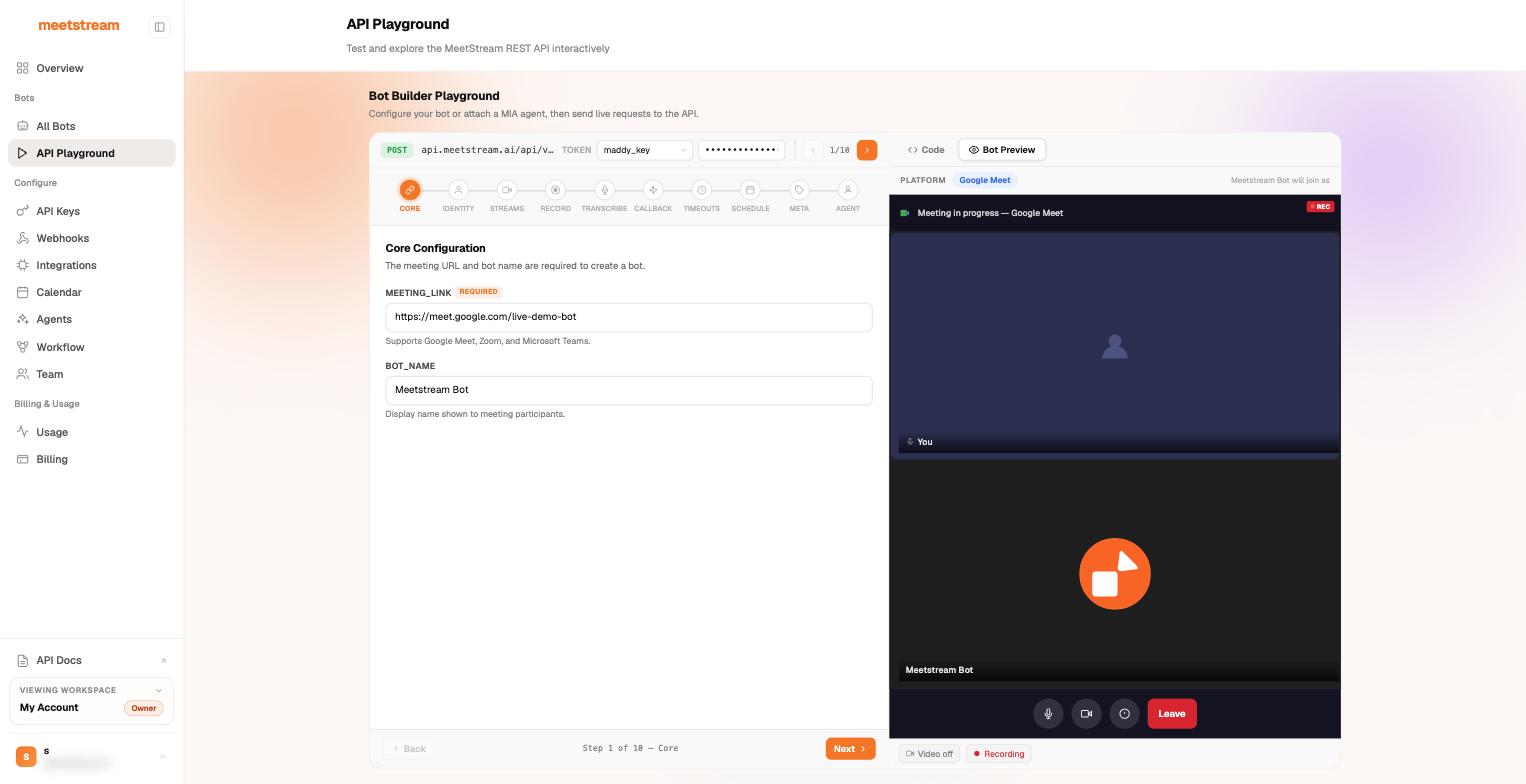
The API Playground is a visual bot builder inside the dashboard. It walks the full create_bot surface in 10 steps — Core, Identity, Streams, Record, Transcribe, Callback, Timeouts, Schedule, Meta, and Agent — and sends live requests to the real API with one of your keys.
Why it’s useful even if you live in code:
- See the request you’re building. The Code toggle shows the exact JSON payload for your current configuration — copy it straight into your integration. Every option in the builder maps 1:1 to a Create Bot field.
- Preview before you send. The Bot Preview pane shows what the bot will look like in the meeting (name, platform) as you configure it.
- Explore the long tail. Per-participant streams, transcription providers, callbacks, timeout tuning, scheduling, custom attributes, and MIA agent attachment are all discoverable as steps instead of buried in a schema.
A good first session
- Get an API key at app.meetstream.ai/api-key (the Playground’s token dropdown lists your keys).
- Open meet.new to spin up a test Google Meet you host.
- Paste the link into Core, name your bot, hit send — then admit the bot from the meeting.
- Flip to Code and copy the request into your codebase.
From there, the quickstart covers fetching the recording, and webhooks close the loop on events.
Prefer a terminal?
Everything the Playground does, the MeetStream CLI does with flags (meetstream bot create ... -t deepgram -c <webhook>), and the MCP server does as agent tools.