
Scheduling Bots
Future joins, calendar-driven scheduling, and full auto-join
There are three ways to put a bot in a meeting that hasn’t started yet, from simplest to most automated:
join_at— one API call, one future meeting- Calendar event scheduling — schedule against synced Google or Outlook calendar events, with recurring support
- Auto-join — every meeting on a connected calendar gets a bot automatically
1) One-off scheduling with join_at
Add an ISO 8601 timestamp to any create_bot request:
What happens:
- A
bot.scheduledwebhook fires immediately (bot_statusScheduled, payload carriesscheduled_join_time). bot.joiningfires when the scheduled time arrives.- Without webhooks, poll
GET /bots/{bot_id}— status showsScheduleduntil then.
CLI: meetstream bot create <link> --join-at 2026-12-20T20:00:00Z.
Change or cancel a scheduled bot
CLI: meetstream calendar reschedule <bot-id> <iso8601> / meetstream calendar cancel <bot-id>.
2) Calendar event scheduling
Once a Google Calendar or Outlook Calendar is connected, MeetStream syncs events and detects meeting links (Google Meet, Zoom, Teams, plus Webex, GoToMeeting, BlueJeans, and Whereby links are recognized in events). Schedule a bot for any synced event:
bot_config accepts everything create_bot does — transcription providers, webhooks, per-participant streams, timeouts.
Recurring meetings
occurrence_date— schedule one specific occurrenceschedule_all_occurrences: true— schedule every occurrence (capped byoccurrence_limit, default 52)recurring_event: true— auto-reschedule the next occurrence after each meeting endsPOST /api/v1/calendar/toggle-recurrencewith{event_id, recurring_enabled}flips auto-rescheduling per event (400 if the event has no recurrence rule)- Standard iCalendar RRULEs are supported: daily, weekly, bi-weekly, monthly, yearly
When the calendar changes
MeetStream listens to real-time push (Google watch channels / Microsoft Graph subscriptions):
- Meeting rescheduled → the bot’s join time updates automatically
- Meeting cancelled (or moved into the past) → the schedule is deleted and the bot marked
Cancelled - Recurring series edited → existing schedules are rebuilt with the updated times
- Google watch channels are renewed automatically before their ~30-day expiry
Unscheduling: DELETE /api/v1/calendar/schedule/{event_id} — optionally with cancel_all_occurrences: true or from_date for series.
3) Full auto-join
Turn on auto-scheduling and every upcoming meeting with a valid link gets a bot:
Mechanics worth knowing:
- A background job runs every 24 hours (midnight UTC) over events in the next 24 hours.
- Events that already have a bot are skipped (via deduplication keys), so auto-join composes safely with manual scheduling.
- Bots join 1 minute before the meeting starts.
- Override any individual meeting by scheduling it manually with a custom
bot_config. - Disable with
POST /api/v1/calendar/auto-schedule/disable; inspect withGET /api/v1/calendar/auto-schedule/settings.
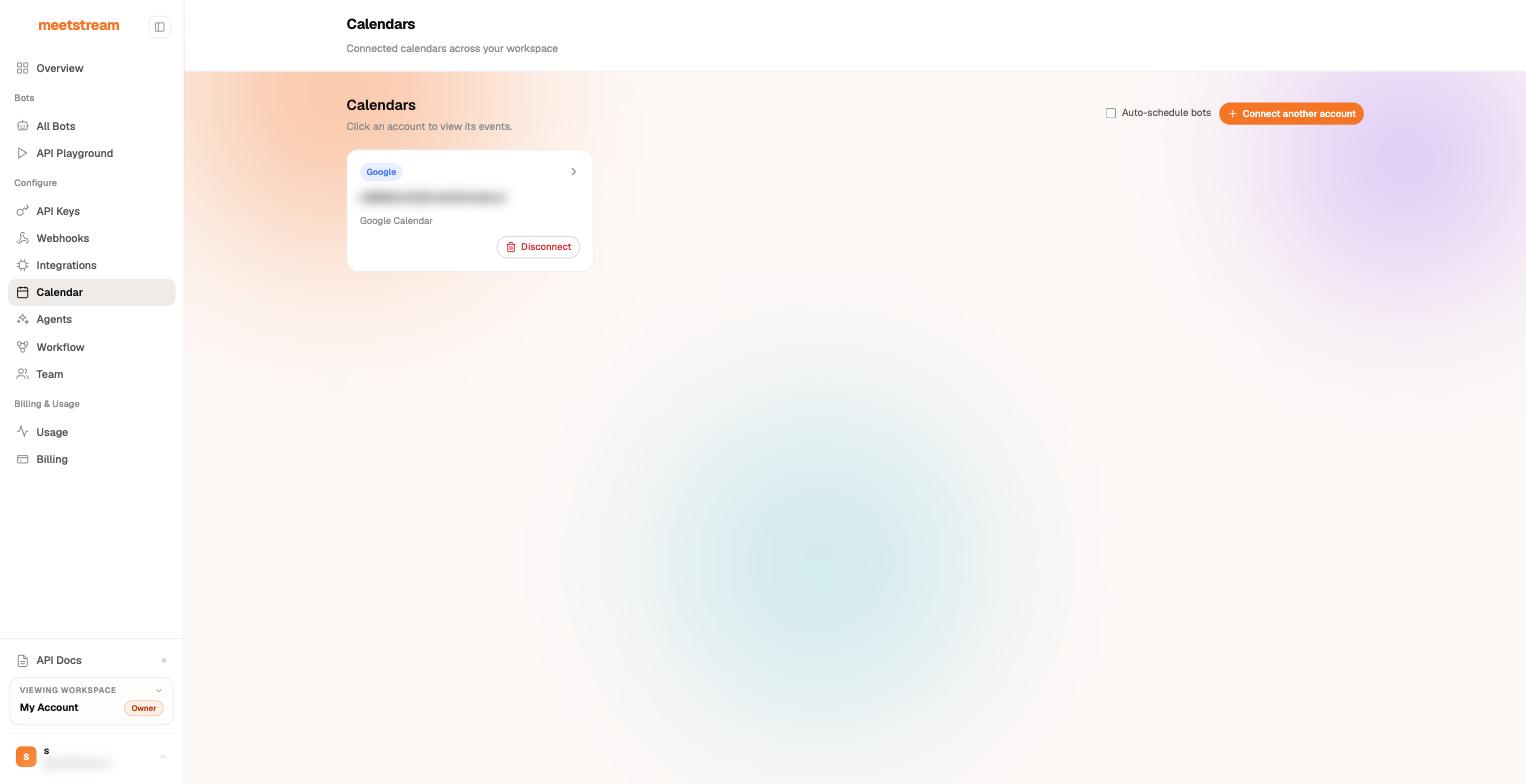
CLI: meetstream calendar auto-join on|off [-n name] [--video]. There’s also an Auto-schedule bots toggle on the dashboard’s Calendar page:
Never double-book a meeting
Scheduling and deduplication are designed to compose:
- Scheduling the same event twice returns
409 Conflictwith the existing bot’s ID — change its config withPATCH /calendar/scheduled_bots/{bot_id}instead. - A
deduplication_keyworks insidebot_configon calendar scheduling and oncreate_botwith a futurejoin_at: a replay returns the existing bot (200), and a key reused against a different meeting URL returns 409. - Retrying the create call safely: use an
Idempotency-Keyheader — a replay returns 507 with the original bot and no new charge.
Next steps
- Google Calendar OAuth Setup · Outlook Calendar Setup
- Deduplication & Idempotency Keys
- Webhooks and events —
bot.scheduledand the full lifecycle